Gothic Bold: A Modern Sans Serif for Web Design
I was working on a redesign for a boutique online store, and the first thing I needed to decide was the right font for the brand. The client wanted something that felt modern yet elegant—something that could stand out but not overwhelm the content. That’s when I came across Gothic Bold.
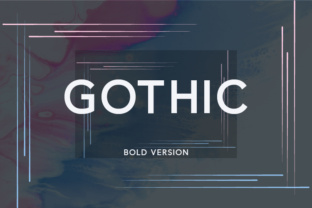
Gothic Bold is a modern and elegant sans serif font with clean lines and a strong presence. It has a bold weight that gives it authority without being too heavy, making it perfect for headings and visual emphasis. What caught my attention was how well it paired with script and handwritten fonts, which the client wanted to use for quotes and testimonials.
As I started testing it in the hero section of the site, I noticed how it worked well over an image banner. The contrast between the dark background and the bright white text made the headlines pop. It didn’t feel too aggressive, which was important since the brand wanted to maintain a sense of sophistication.
I also checked how Gothic Bold performed on mobile screens. Because it’s a sans serif font, it maintained its readability even at smaller sizes. This made it ideal for responsive layouts where space was limited. I used it for section headings, buttons, and short phrases throughout the site, ensuring a consistent visual hierarchy.
One of the key things I considered was how Gothic Bold would affect the overall user experience. Fonts can influence scanning behavior, and I wanted to make sure the text was easy to read without distracting the user. Gothic Bold had a good balance of style and legibility, which helped guide the reader’s eye through the content smoothly.
For the product landing page, I used Gothic Bold as the main heading font. It gave the titles a strong, confident look that matched the brand’s tone. I paired it with a lighter sans serif for body copy, which created a nice contrast and improved readability. This approach helped maintain a professional look while keeping the design visually engaging.
I also experimented with using Gothic Bold in call-to-action areas. The boldness of the font made the buttons stand out more, which increased their visibility. On the other hand, I avoided using it for long paragraphs or body text, as it could become overwhelming if used excessively.
When it came to font pairing, Gothic Bold worked exceptionally well with both serif and script fonts. For instance, I used it alongside a serif font for the blog section, which gave the editorial content a more traditional feel while still maintaining a modern edge. The combination felt balanced and intentional, reinforcing the brand’s identity.
Before finalizing the font, I made sure to check the available styles, weights, and webfont options. Gothic Bold offered multiple weights, which allowed me to use it flexibly across different sections of the site. The multilingual support was also a plus, especially since the online store targeted an international audience.
I also considered the licensing terms to ensure it was suitable for commercial use. Since the project involved multiple pages and assets, having a clear and flexible license was essential. Gothic Bold met all the requirements, which made the decision easier.
Overall, Gothic Bold proved to be a versatile choice for this project. It added a modern touch to the design without compromising on readability or usability. Whether used for headings, buttons, or decorative accents, it contributed to a polished and cohesive brand experience.
For designers looking to elevate their digital projects, Gothic Bold is worth considering. Its clean aesthetic and strong character make it a great fit for a variety of web design scenarios—from creative portfolios to product landing pages and beyond. Just remember to test it thoroughly in different contexts and pair it wisely with other fonts to maintain a balanced and professional look.